SEO Checker Overview
An introduction to the SEO Checker tool that analyzes your content and provides optimization recommendations
Last updated 9 months ago
SEO Checker Overview
The SEO Checker is Kalema's comprehensive content analysis tool. It evaluates your articles against SEO best practices and provides actionable recommendations to improve your search rankings.
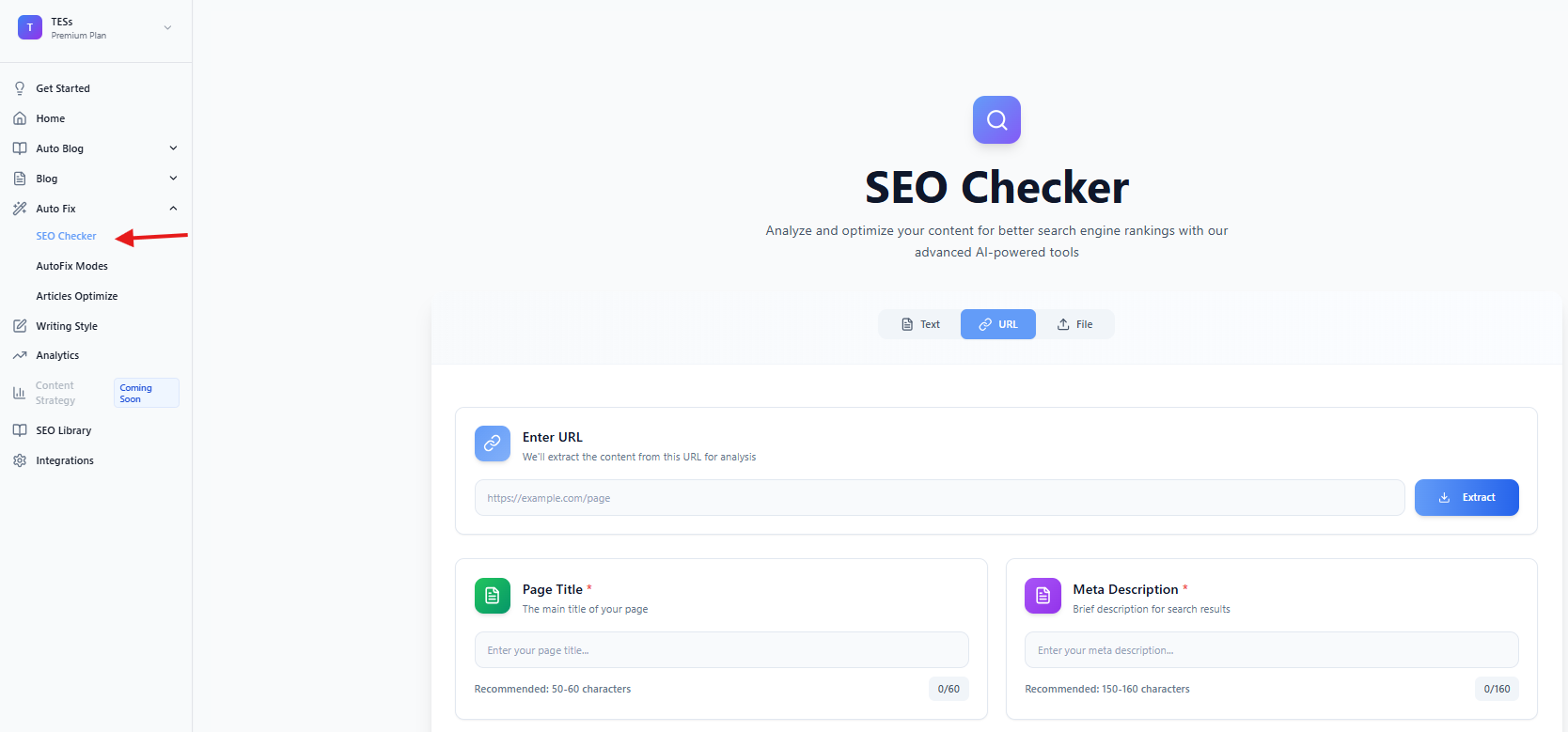
Getting Started
Access SEO Checker from the main menu. You can analyze content in three ways:
Paste Content: Copy and paste your article directly
Enter URL: Analyze content from a live webpage
Upload File: Upload a document (PDF, Word, or text file)
Setting Up Analysis
Before running the analysis, configure these settings:
Primary Keyword: The main keyword you want to rank for
Target Country: The country you're targeting for SEO
Include Competitor Analysis: Toggle to analyze top-ranking competitors
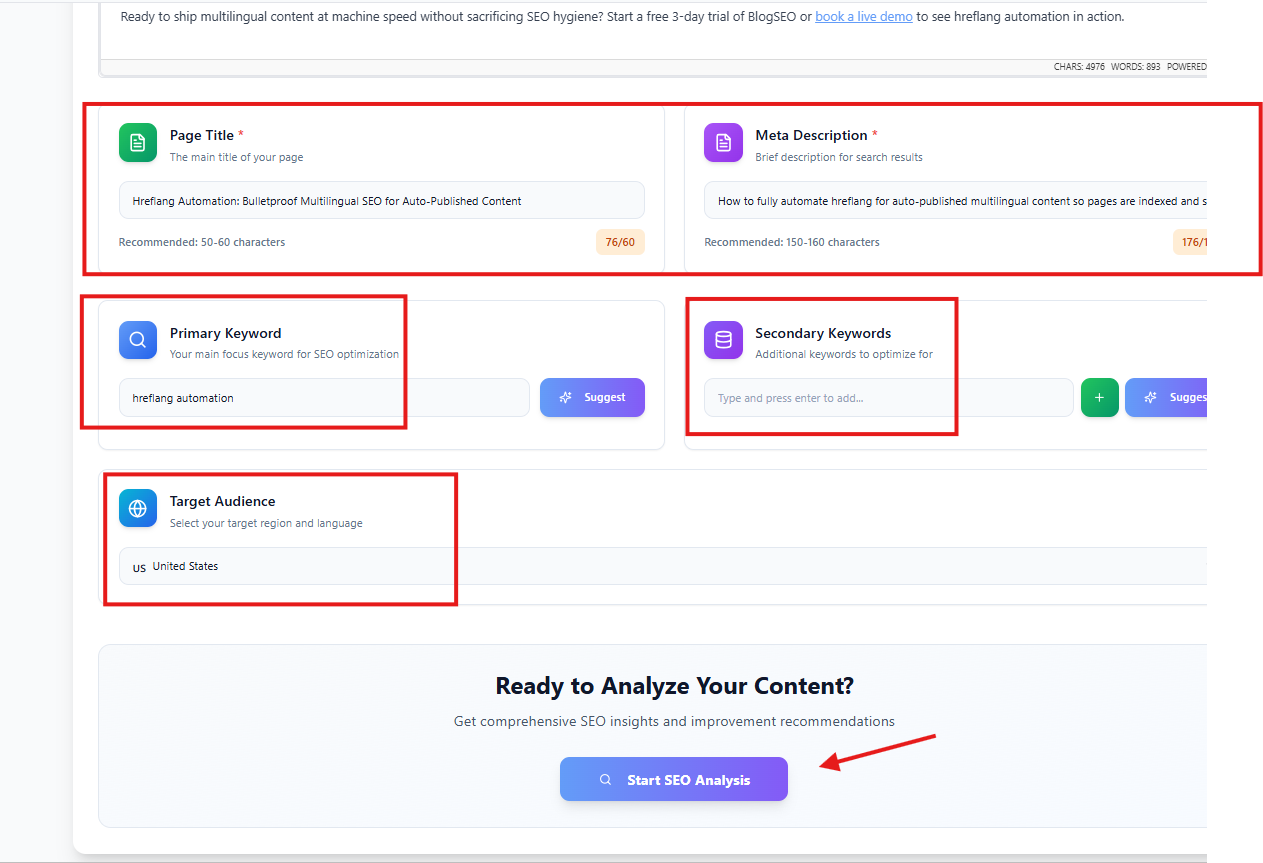
Analysis Results
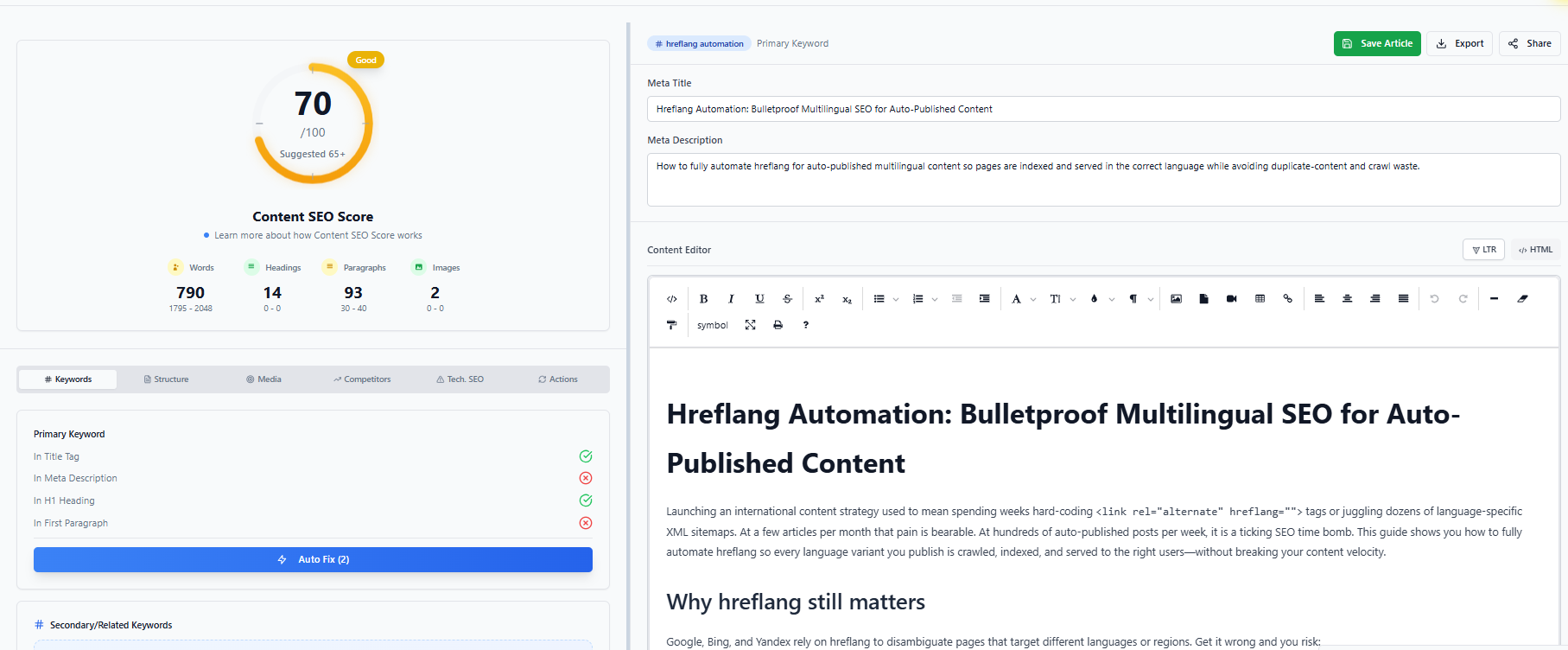
After analysis, you'll see a comprehensive dashboard with six tabs:
Keywords Tab
Primary keyword density and placement
Secondary keyword suggestions from AI
Keyword usage recommendations
Structure Tab
Heading hierarchy (H1, H2, H3)
Paragraph count and distribution
Lists and formatting elements
Media Tab
Image count and alt text analysis
Video embeds
Media optimization suggestions
Competitors Tab
Top-ranking pages for your keyword
Competitor word counts and structures
Content gaps and opportunities
Technical Tab
Word count analysis
Readability score
Sentence and paragraph metrics
Recommendations Tab
AI-powered improvement suggestions
Priority-ranked action items
Quick-fix opportunities
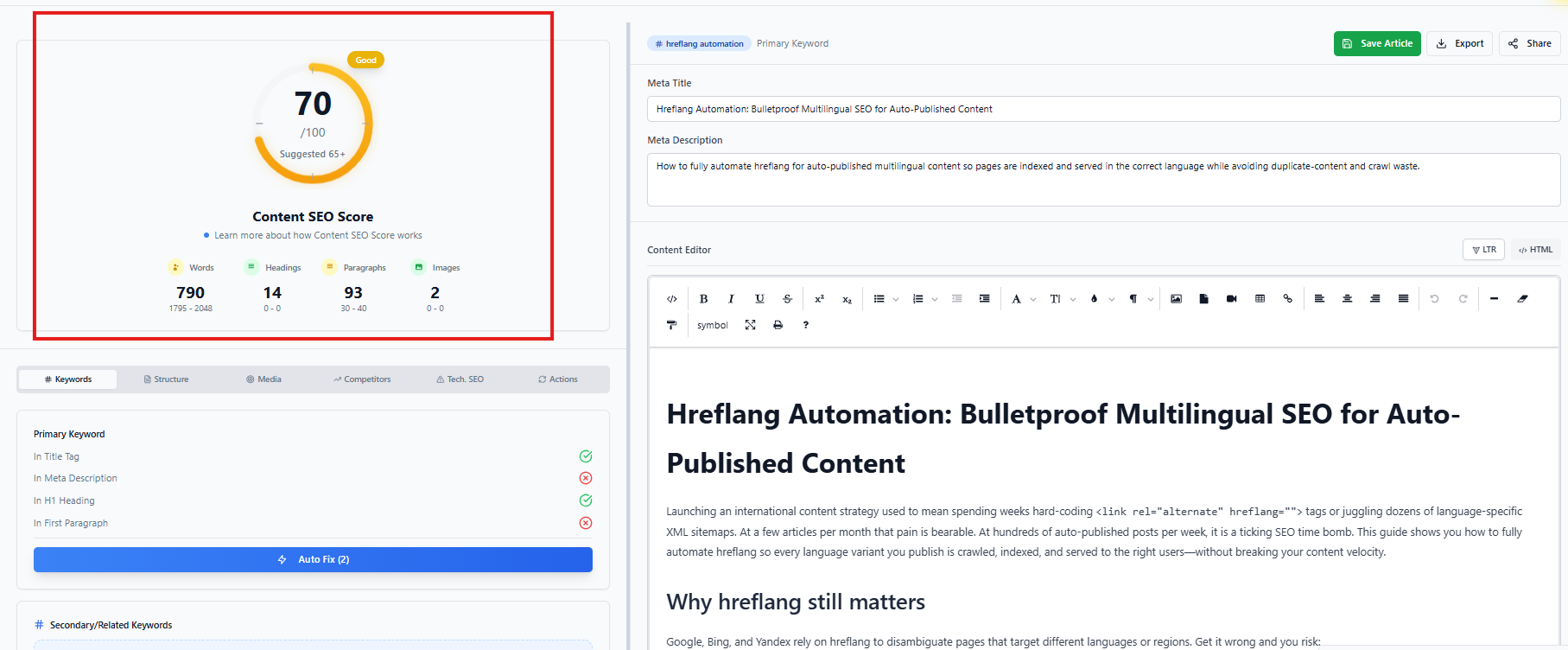
SEO Score
Your content receives an overall SEO score (0-100) with category breakdown:
Excellent (80-100): Well-optimized content
Good (60-79): Minor improvements needed
Average (40-59): Several optimizations required
Poor (0-39): Significant work needed
Editing Your Content
The built-in editor lets you make changes directly:
Make edits in the content editor
Click Re-analyze to see updated scores
Save your optimized content when ready
Pro Mode
For advanced optimization, switch to Pro Mode which provides guided, step-by-step optimization through seven stages.